Security in OneStream's Line Item Modeling solution is a fundamental component designed to protect sensitive data and ensure access control. The Security Groups feature enables administrators to define access levels and permissions for each user or user group, providing granular control over who can perform specific actions, access certain pages, or view and edit data. Furthermore, OneStream's Line Item Modeling solution complies with industry-standard security protocols, ensuring your data is safeguarded according to best practices. This robust security framework enables organizations to leverage the power of the Line Item Modeling tool confidently, knowing their data is well-protected.
NOTE: Line Item Modeling enforces nested security, evaluating parent-level security first to allow access before child-level security is applied.
You can add, save, edit, or remove Security Groups. Multiple security groups can be assigned to Actions or Register Columns for more control of what users can have access to. The Register Columns shown are based on the .csv file load from the Register setup.
For additional information on updating security groups for Actions, Register Columns and Control List values, see Security Setup.
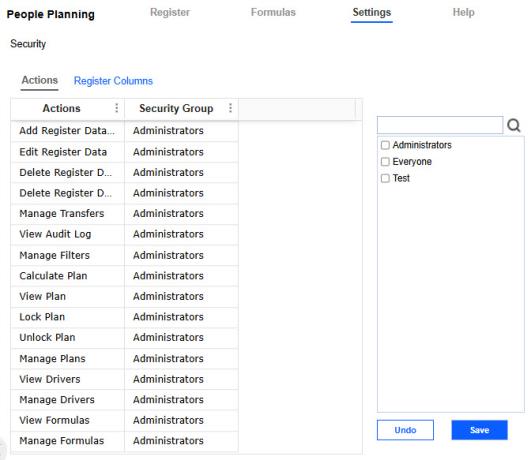
NOTE: The Manage Transfers action is only available on the Workforce Planning configuration.


